Home / Features
Everything in one plan

Every feature you need to see what’s ahead.

A calendar that shows your projected balance for every day, with repeating bills, multiple accounts, bank CSV reconciliation, savings buckets, and step-by-step help. Included in one plan.

No credit card required. Cancel any time.

Daily balance calendarRepeating bills and incomeMultiple accountsMy Buckets goals and budgets
The daily balance calendar

Every day shows the balance you’ll have.

Start with today’s real balance. MyBuckPlan applies each scheduled bill, paycheck, and transfer, then shows the projected end-of-day balance on every date of the month.
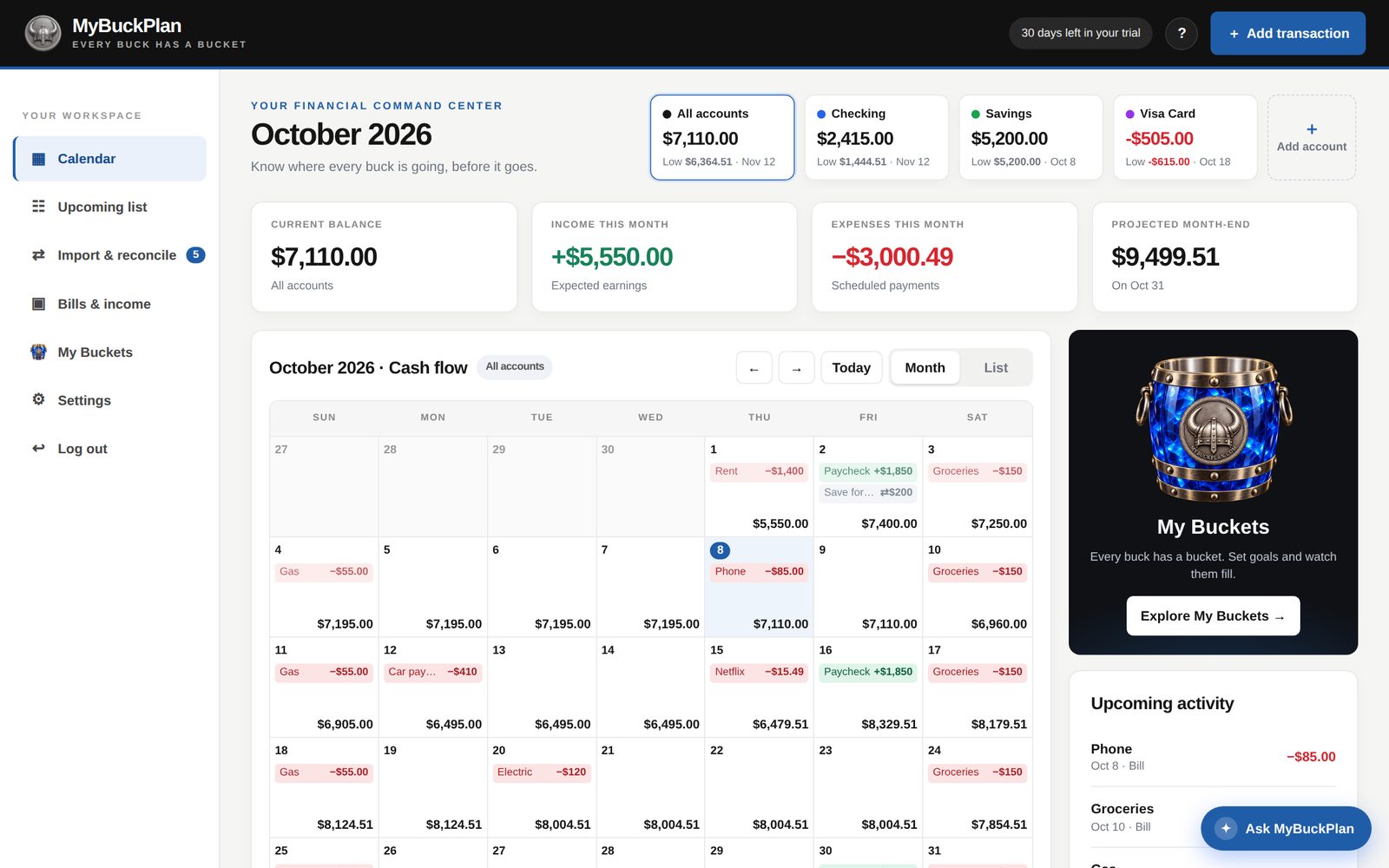
  • Income in green, bills in red, transfers in grey
  • Red days fall below zero; amber days fall below your warning level
  • Four summary cards: current balance, income, expenses, and projected month-end
MyBuckPlan
Month calendar with income, bills, and projected end-of-day balances.
The month at a glance.
Day details

Open any day. See exactly why.

Click a date to see every item scheduled that day and the end-of-day balance of each account, then add something to that day in one click.
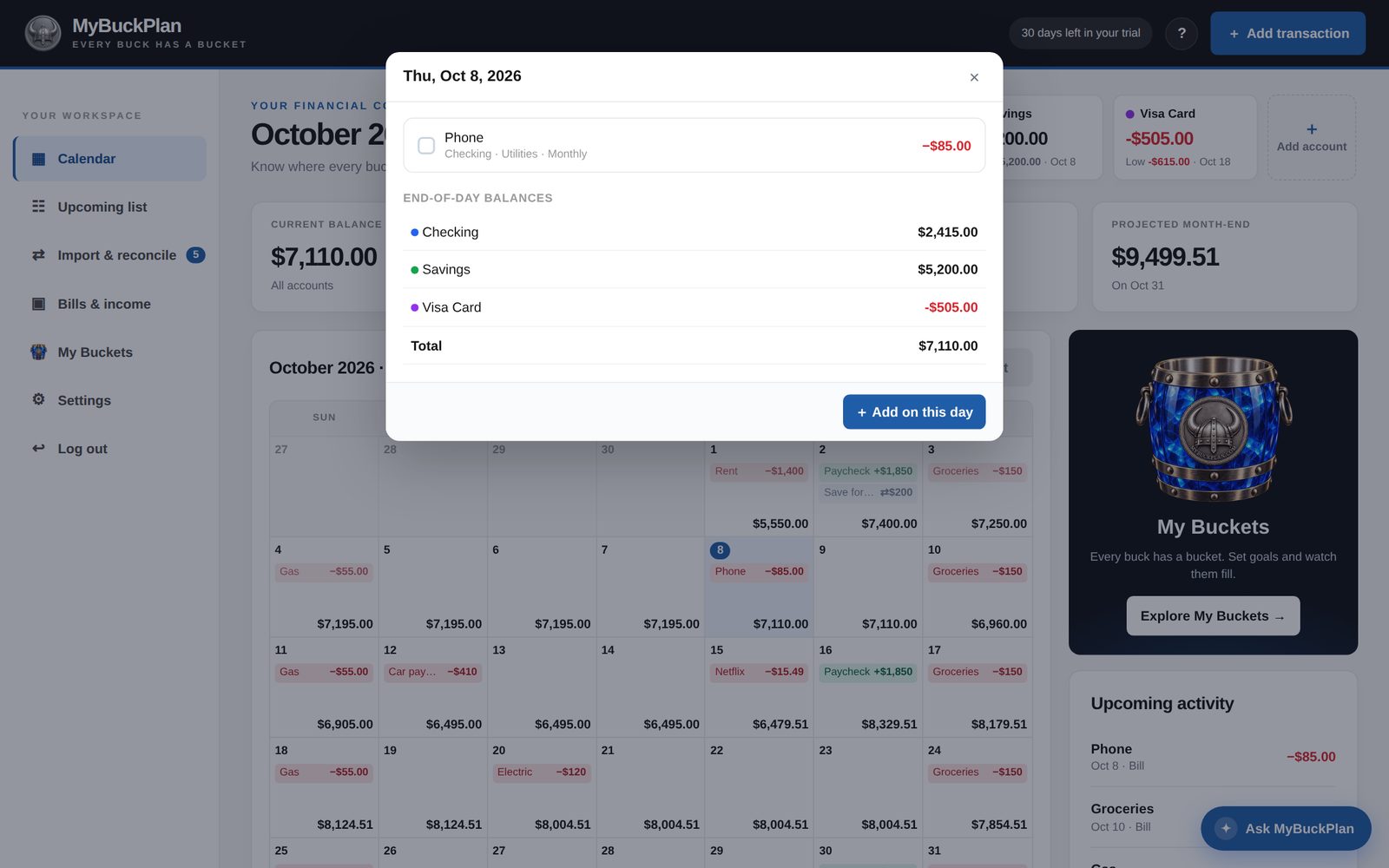
  • Each item with its account and category
  • End-of-day balance per account and in total
  • Add a transaction directly on that date
MyBuckPlan
Day details with scheduled items and each account’s end-of-day balance.
Repeating schedules

Set it once. It repeats for you.

Paychecks every two weeks, rent on the 1st, insurance every six months. Choose daily, weekly, every N weeks, monthly, twice a month, or yearly, with an optional end date.
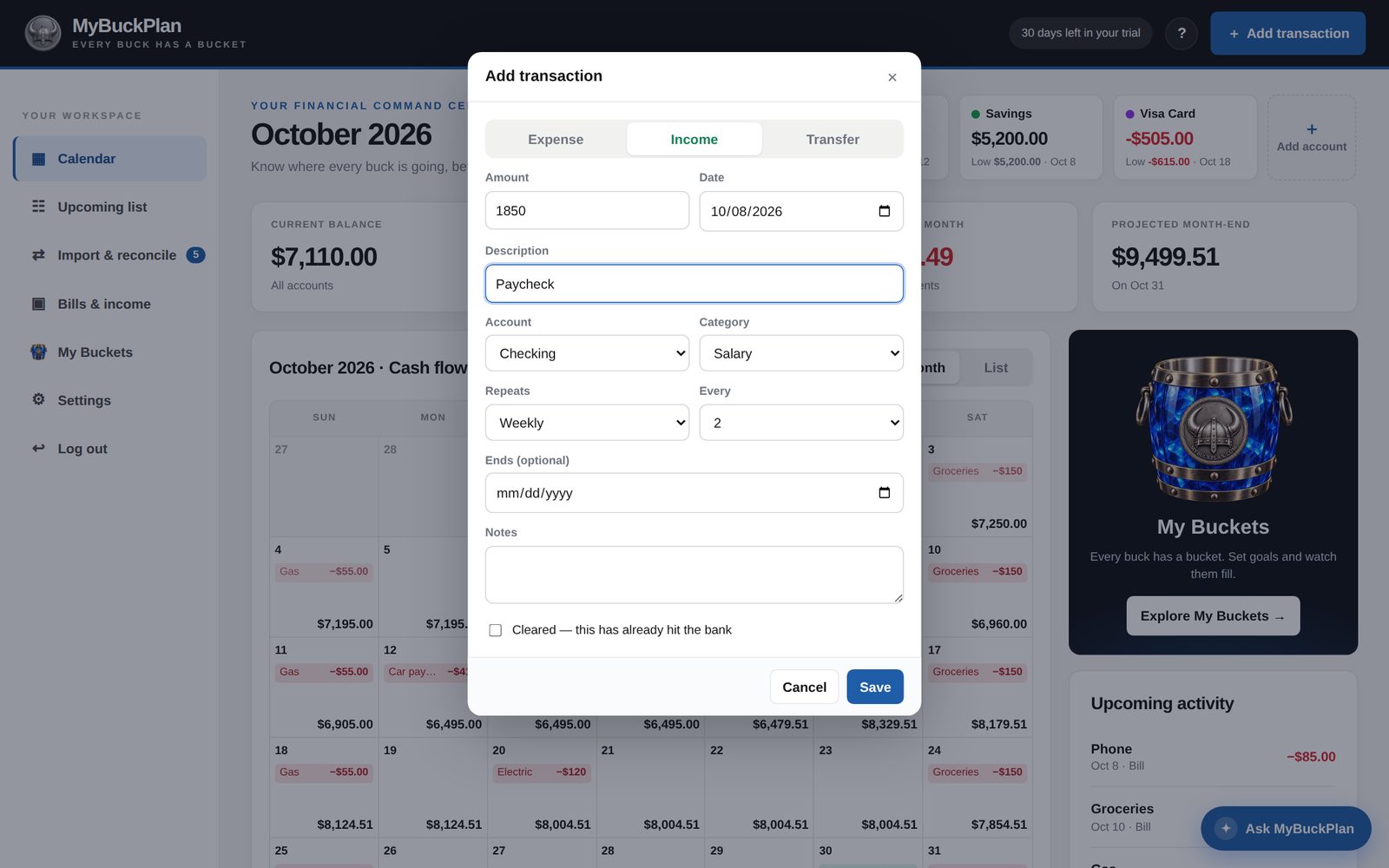
  • Biweekly and twice-a-month paychecks
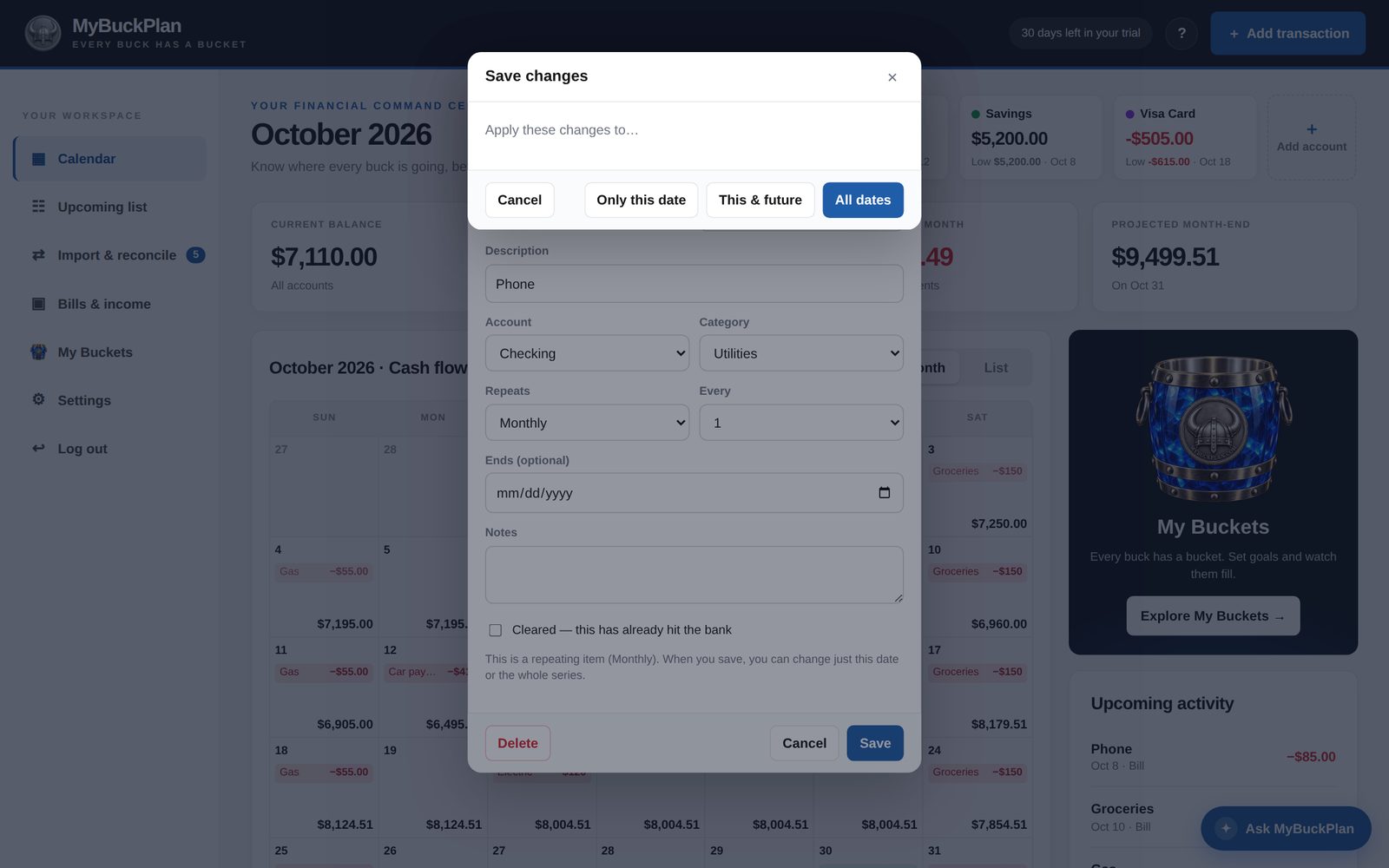
  • Change only one date, this and future dates, or all dates
  • Skip a payment or move it to another day
MyBuckPlan
Adding a paycheck that repeats every two weeks.

One change or the whole series.

When a bill changes, you decide how far the change reaches.
MyBuckPlan
Choosing to apply a change to only this date, this and future dates, or all dates.
Only this date, this and future, or all dates.
MyBuckPlan
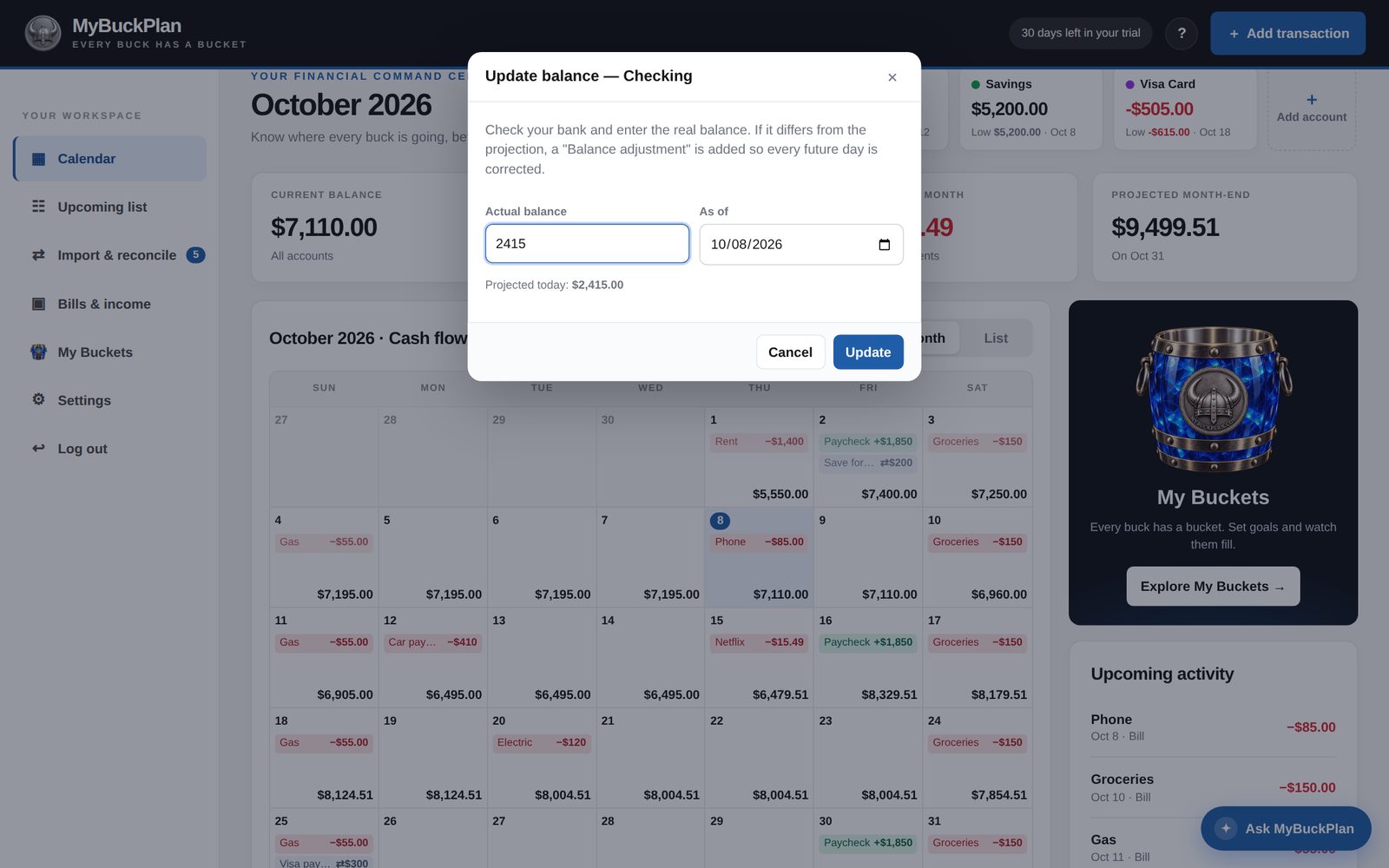
Update balance window for matching the bank.
Match the bank in one step.
Multiple accounts

Know which account gets tight first.

Checking, savings, credit cards, and cash sit side by side at the top of the calendar. Each card shows today’s balance and the lowest balance in the next 90 days, with the date.
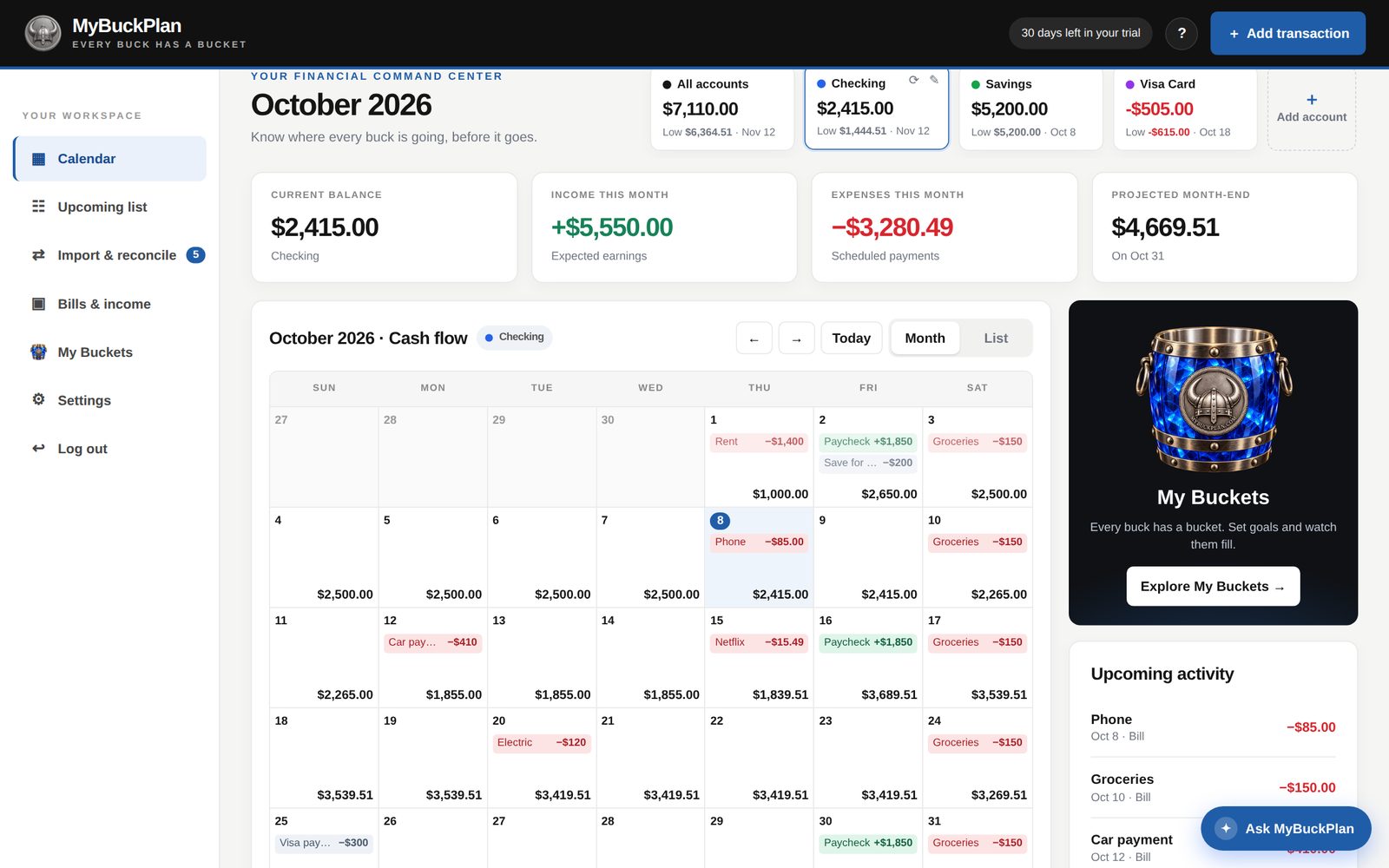
  • Show four or five accounts at once; slide to see more
  • Tap an account to filter the calendar to it
  • Transfers for credit card payments and savings
  • Credit card balances owed show as negative
MyBuckPlan
Calendar filtered to a single account.
My Buckets

Every buck has a bucket.

Savings goals fill like real buckets. Pick a gem color — sapphire, ruby, emerald, amethyst, topaz, rose, aqua, or onyx — and the bucket fills as you add money. Monthly budgets keep categories like groceries in check.

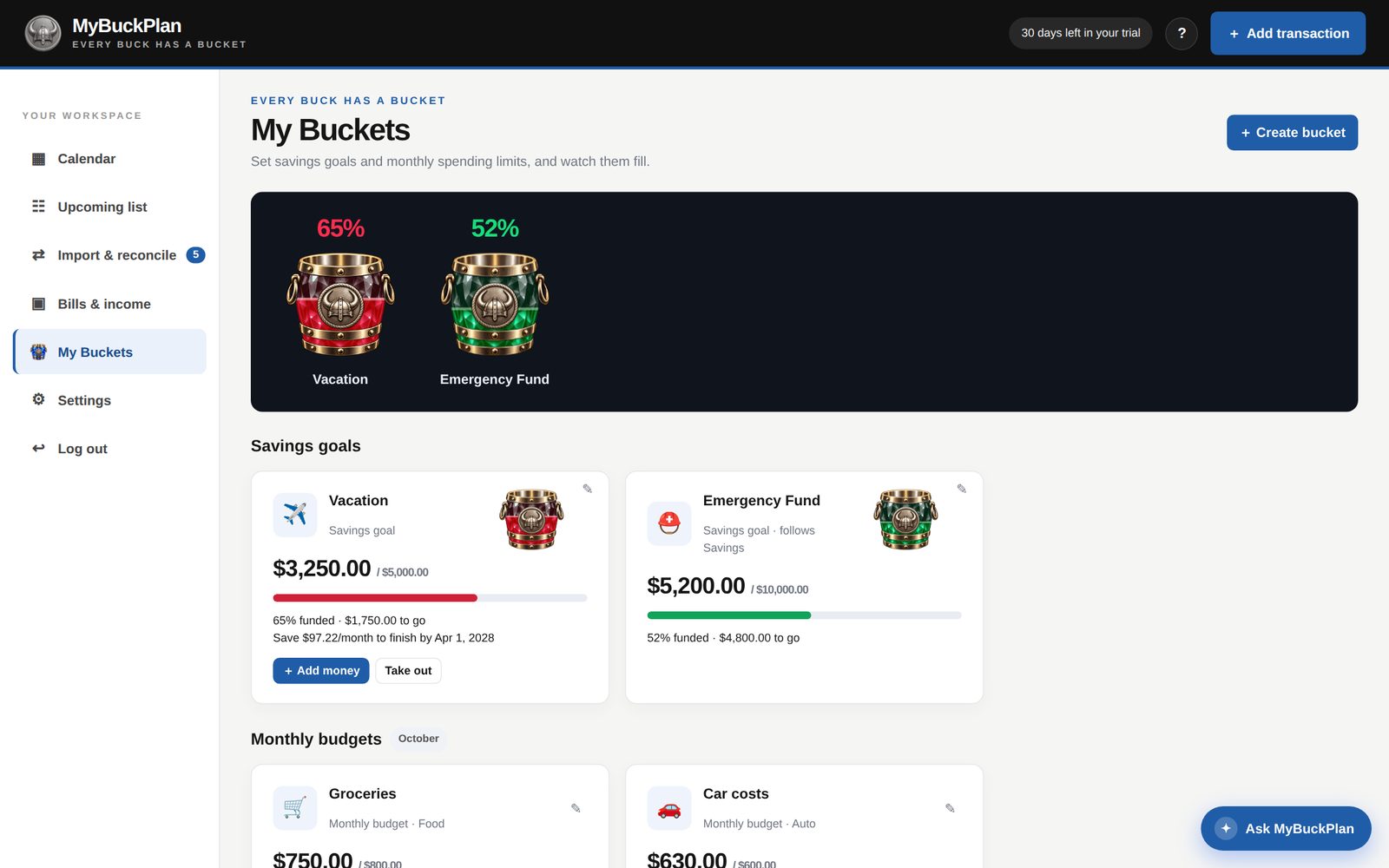
  • Percent filled on top of every bucket
  • Add money yourself, or follow a savings account’s balance
  • “Save $X per month to finish by…” when you set a date
  • Budgets count what you spent and what is still scheduled
A bearded Viking barber in a barber chair holding a sapphire MyBuckPlan bucket full of cash.
Give your money a mission.
MyBuckPlan
My Buckets with ruby and emerald savings buckets filling up.
Pick a color for each goal and watch it fill.
Import and reconcile

Your bank CSV. A cleaner calendar.

Download a CSV from your bank and upload it. MyBuckPlan matches each line to your scheduled items — exact amounts within six days, close amounts within four — so you can confirm what really happened.
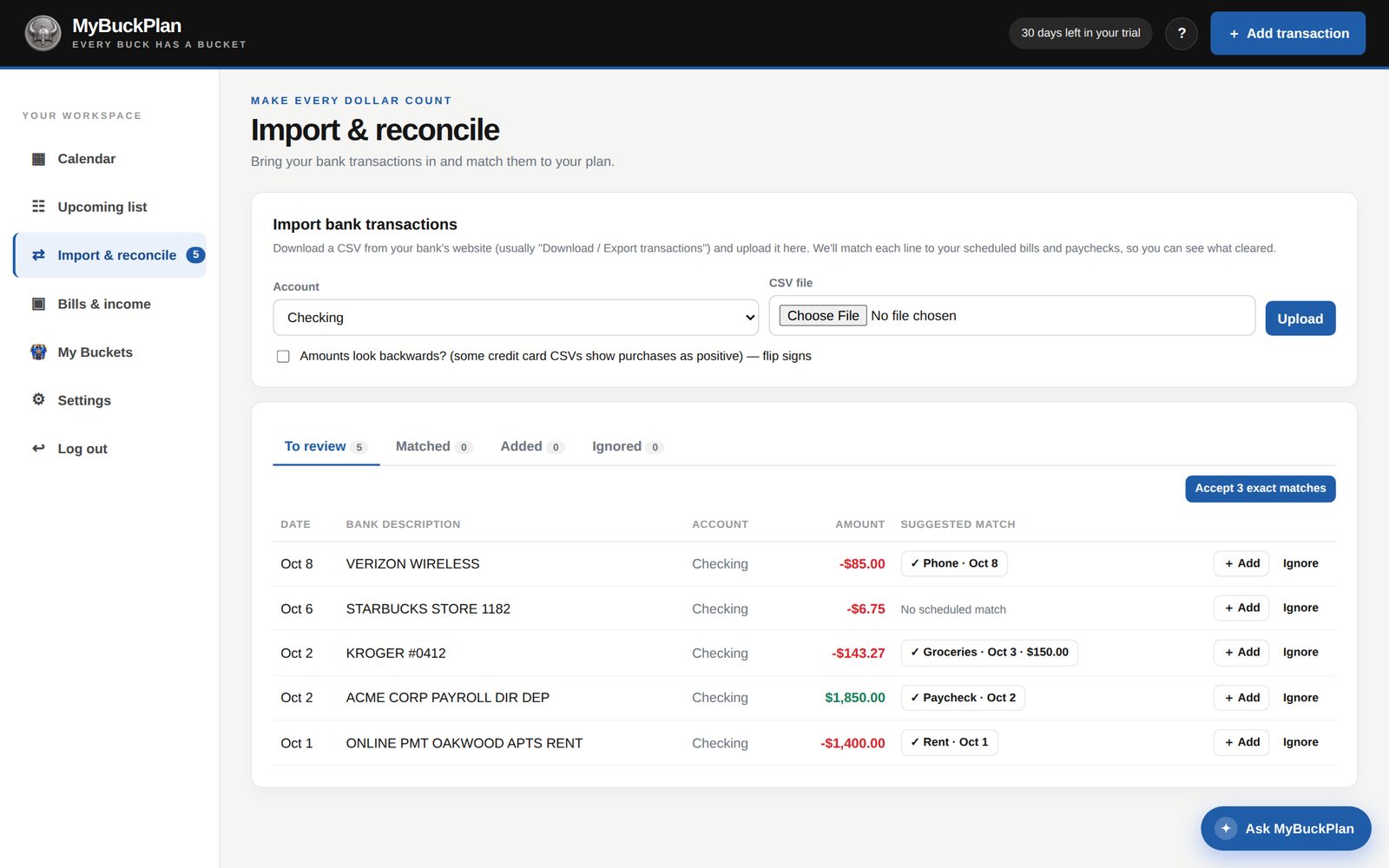
  • Accept all exact matches in one click
  • Add unplanned purchases, ignore lines, or undo
  • Re-uploading the same file never creates duplicates
  • CSV upload only — no bank login, no automatic syncing
MyBuckPlan
Bank CSV lines matched to scheduled items.

Lists and totals, when you want them.

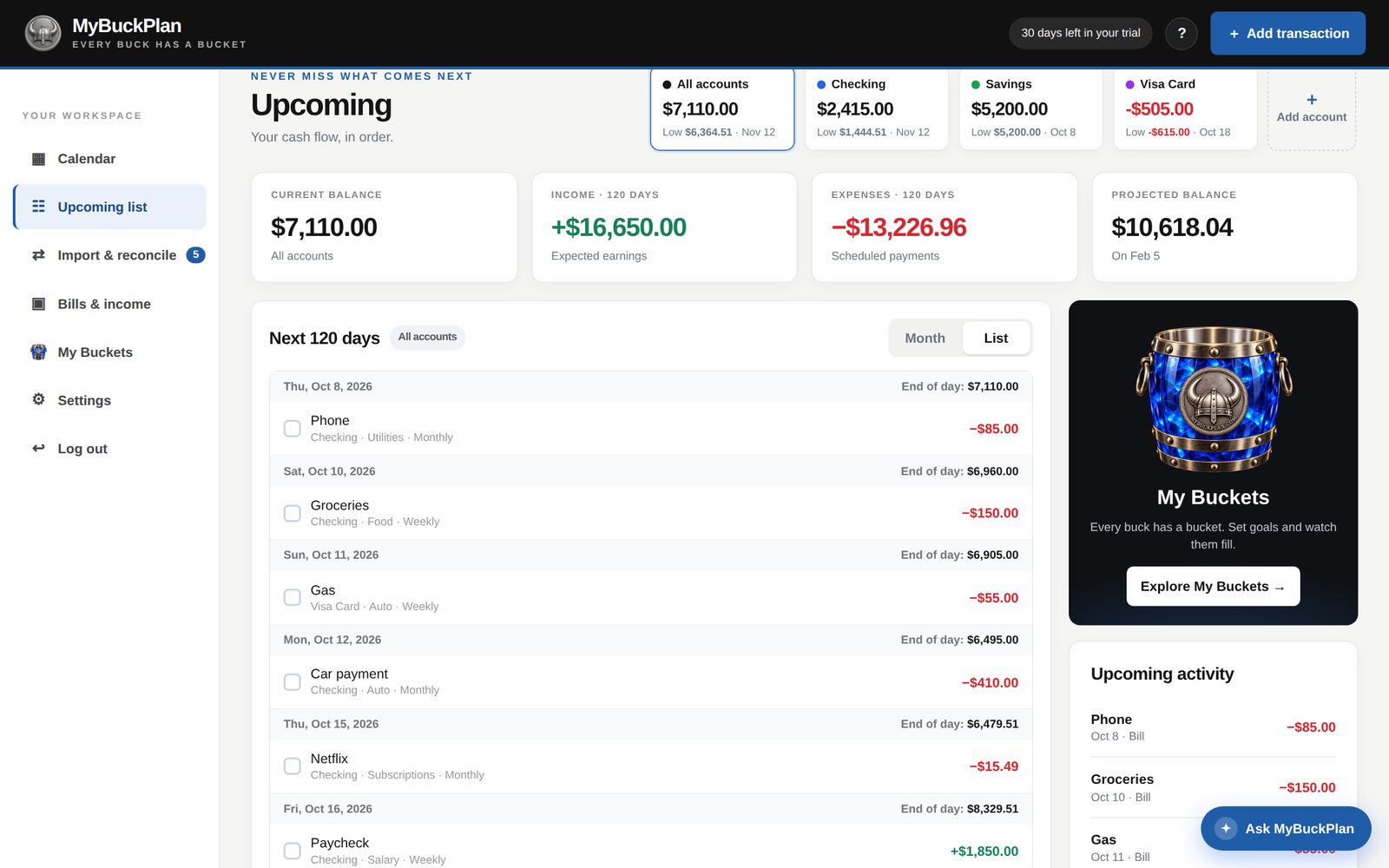
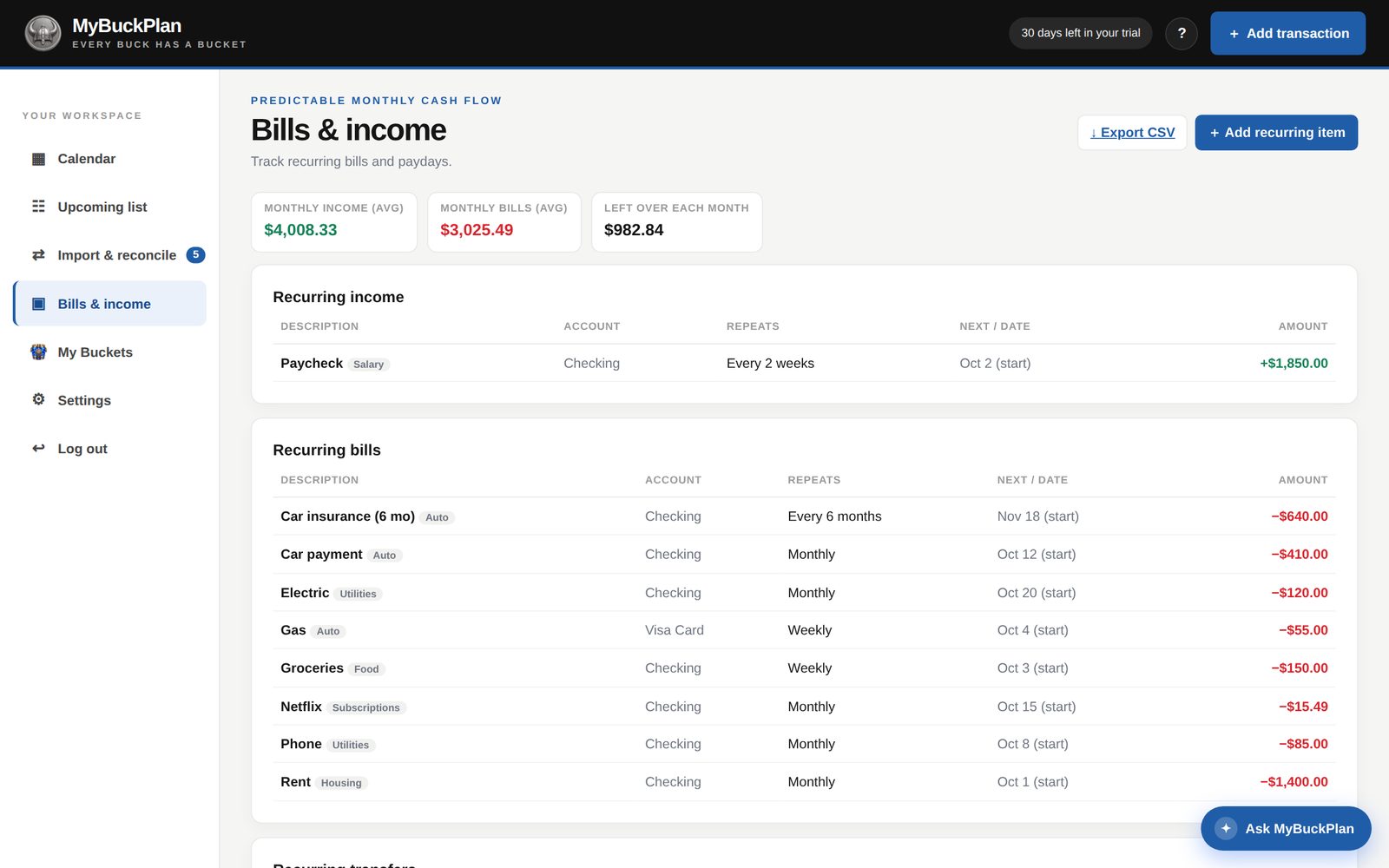
Prefer a list to a calendar? See the next 120 days in order, or the average month of recurring bills and income.
MyBuckPlan
Upcoming list with balances after each day.
Upcoming: the next 120 days, with a running balance.
MyBuckPlan
Bills and income overview with average monthly totals.
Bills & income: what’s left in an average month.
Ask MyBuckPlan

Help that points at the button.

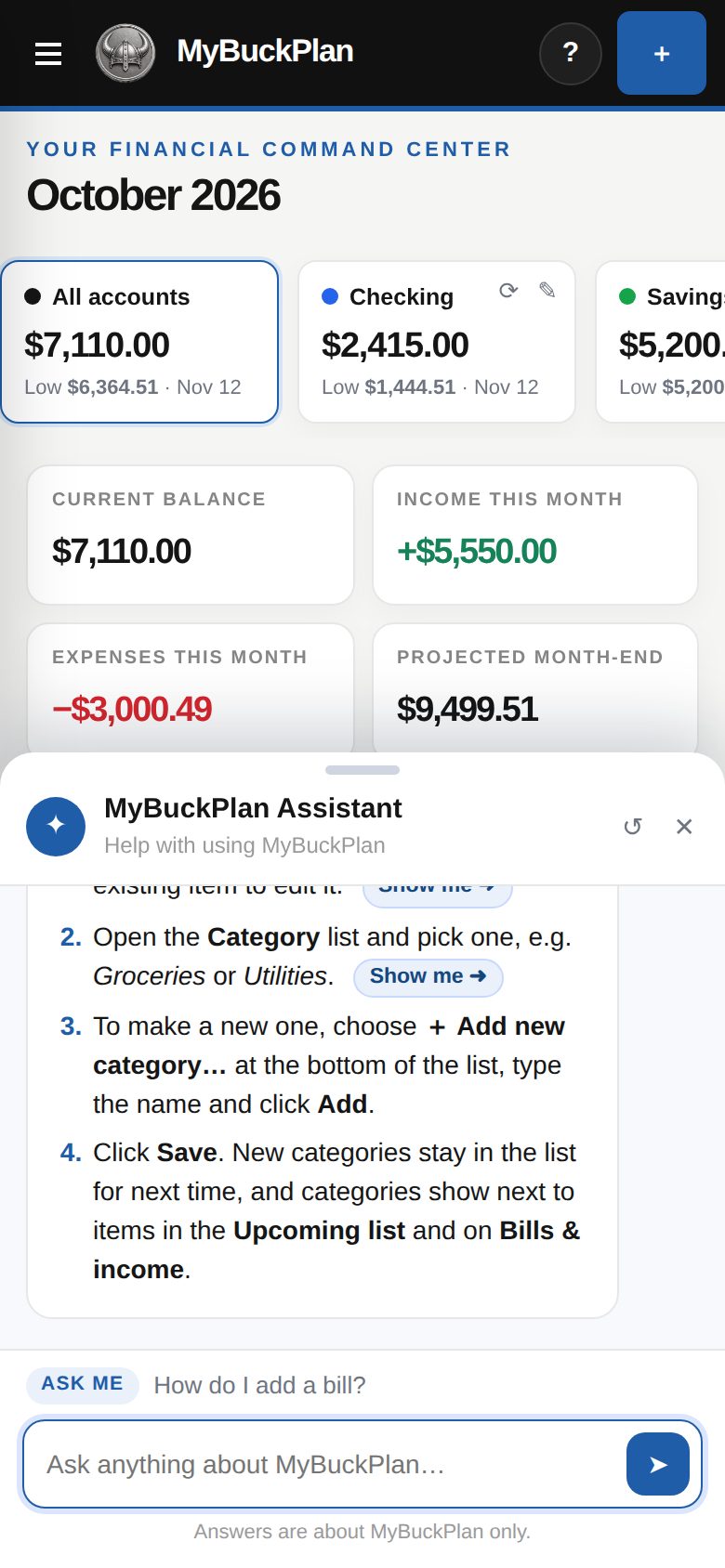
Ask how to do something and get numbered steps. Each step has a “Show me” button that highlights the exact button or field on your screen. It opens only when you ask, and it only answers questions about using MyBuckPlan.
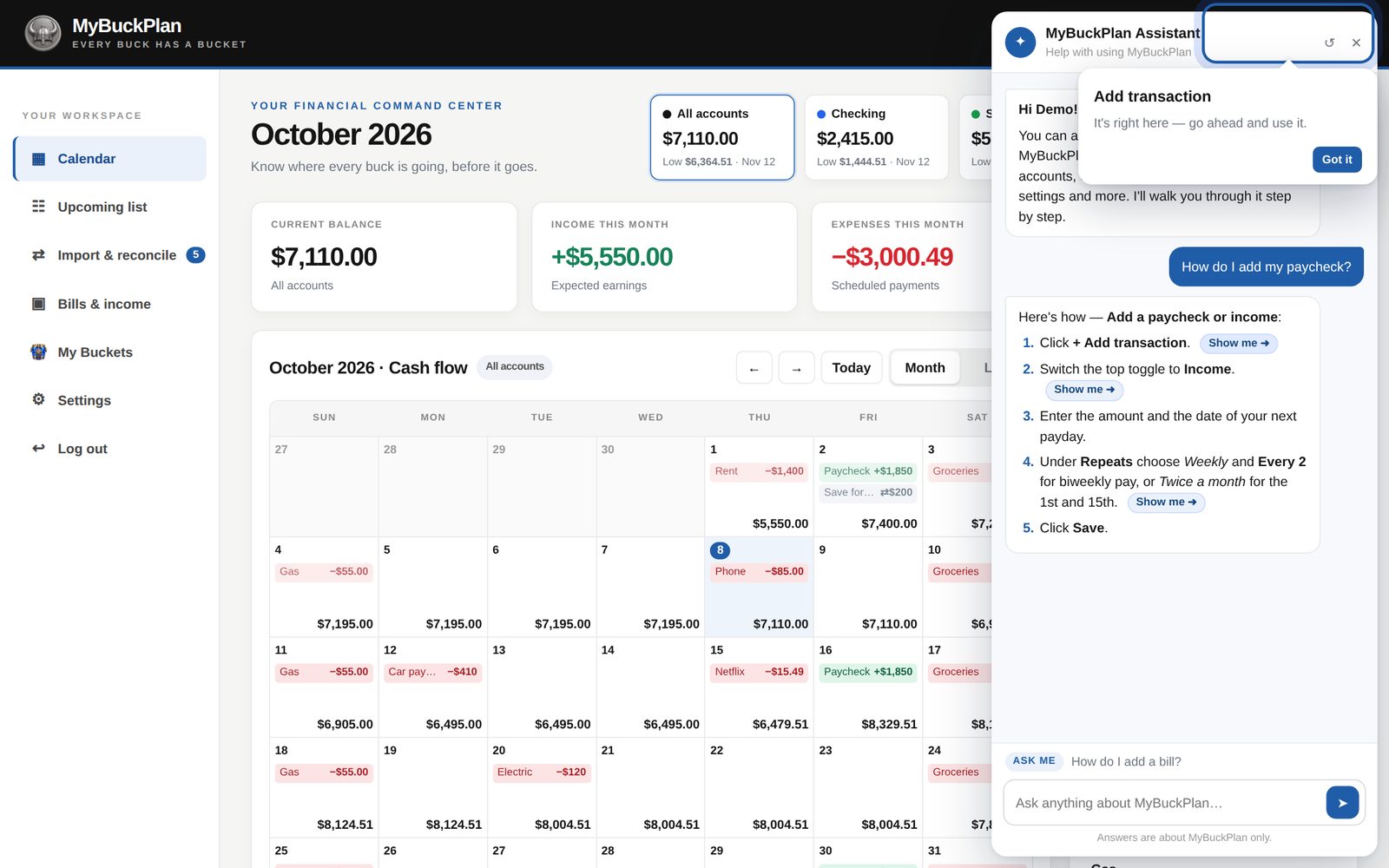
  • Step-by-step answers in plain English
  • “Show me” pointers on the real controls
  • Built-in help articles are always free
  • AI answers use Brave Heart coins
MyBuckPlan
The assistant pointing at the exact control.
Phone, tablet, computer

Your calendar goes where you go.

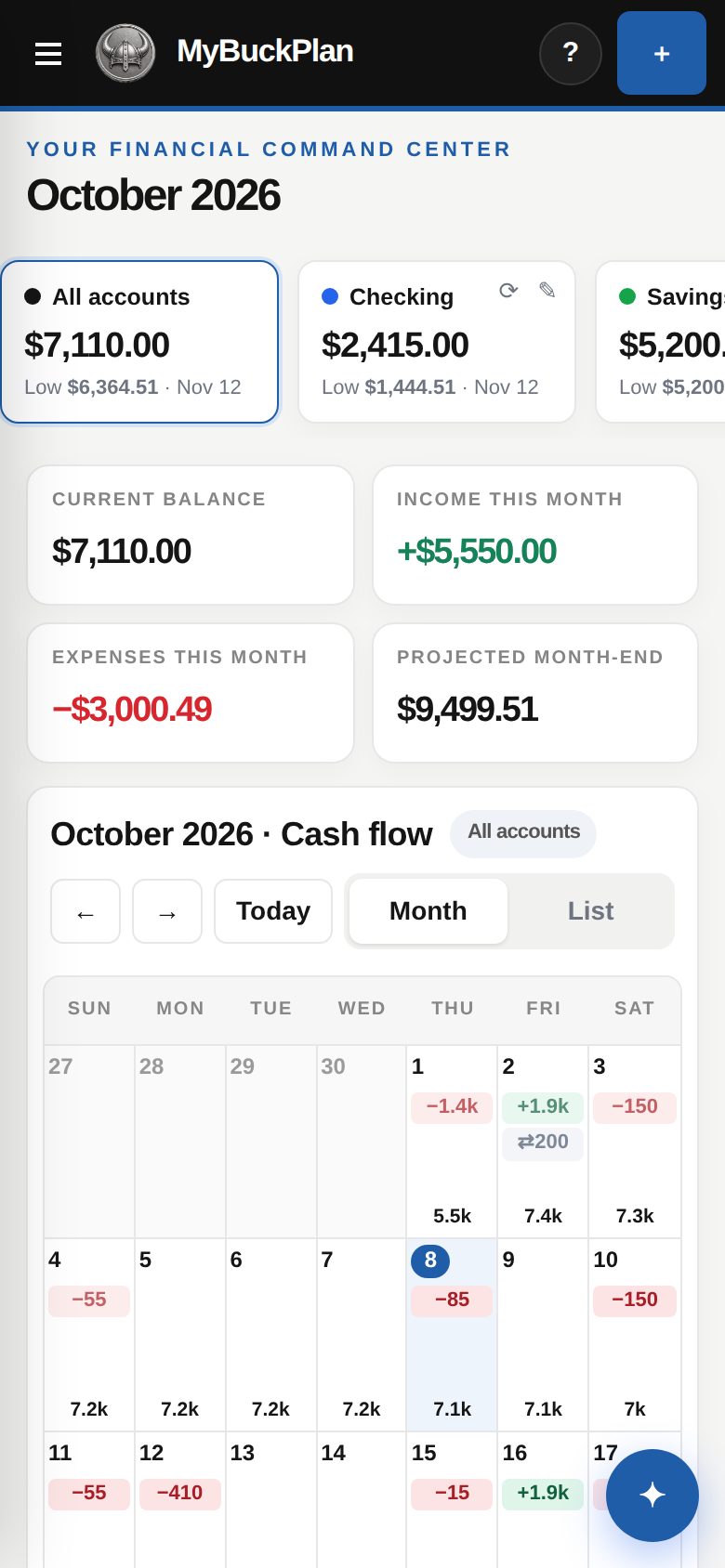
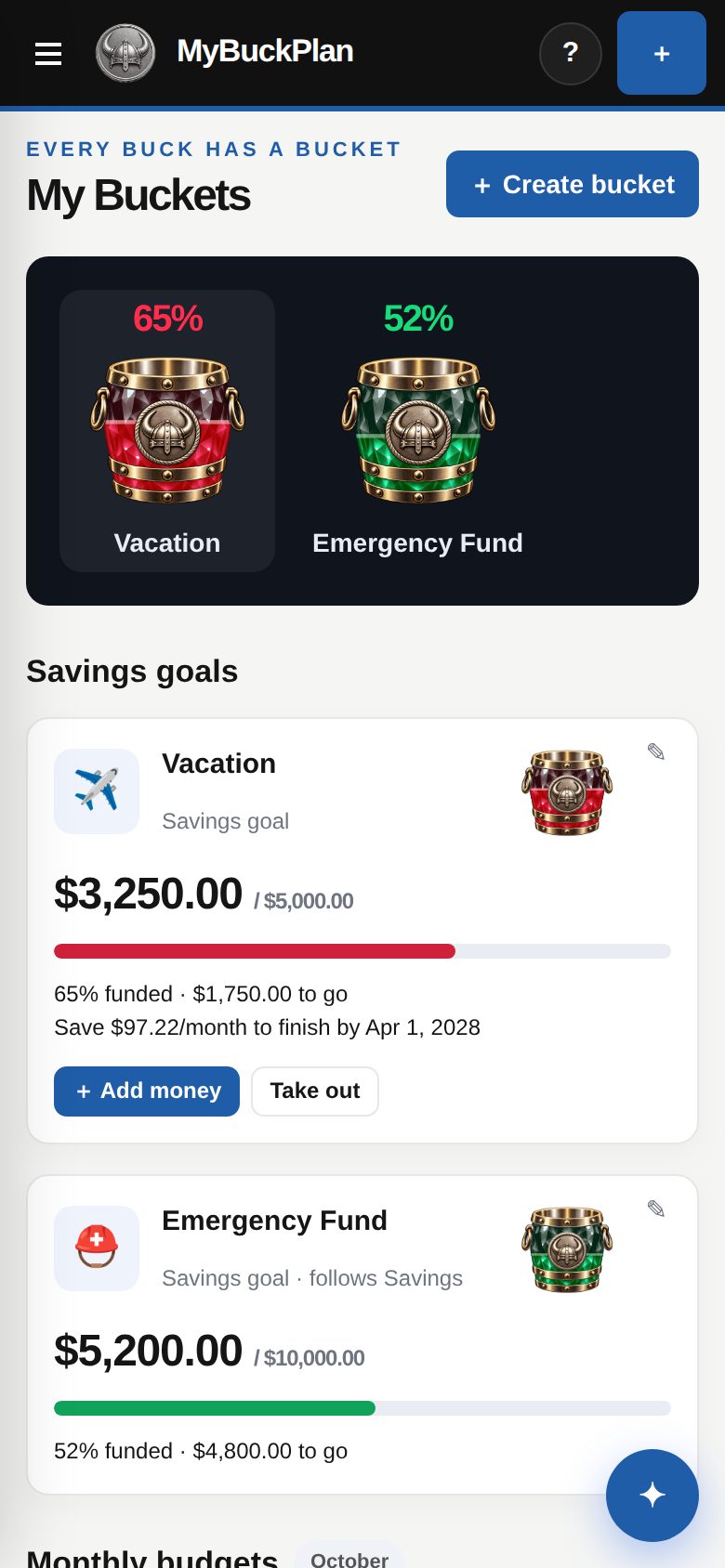
MyBuckPlan runs in your browser. On a phone, accounts slide across the top, the menu tucks away, and help opens at the bottom so you can still see your calendar.
  • Apps for iPhone, iPad and Android
  • Or use any browser, nothing to install
  • Same account and data on every device
Calendar on a phone.
My Buckets on a phone.
Help assistant as a bottom sheet on a phone.

Your data stays yours.

Simple, honest data handling.

🔒

No bank login

You never give us your bank password. Balances are entered by you or imported from a CSV.

🚫

Never sold

We don’t sell your data or show you ads.

⬇

Export any time

Download your transactions as a CSV for Excel or Google Sheets.

🗑

Delete any time

Delete your account and all of its data from Settings.

Read the Privacy Policy.

Silver MyBuckPlan coin reverse engraved 1 Brave Heart

Brave heart. Clear plan.See your bank balance every day — before it happens.

Try every feature free for 30 days.

Know what’s coming. See what’s left. Make your next move with a clearer view.

No credit card required. Cancel any time.