From today’s balance to every day ahead.
MyBuckPlan starts with what is in your accounts today and adds what is coming. Here is how it works, step by step.
No credit card required. Cancel any time.
Add your accounts and today’s balances.
Create your free account, then add checking, savings, credit cards, or cash. Type in what each account holds today and choose a low-balance warning level.
- Credit card balances owed are entered as negative
- Pick a color for each account
- The warning level turns days amber before they go red
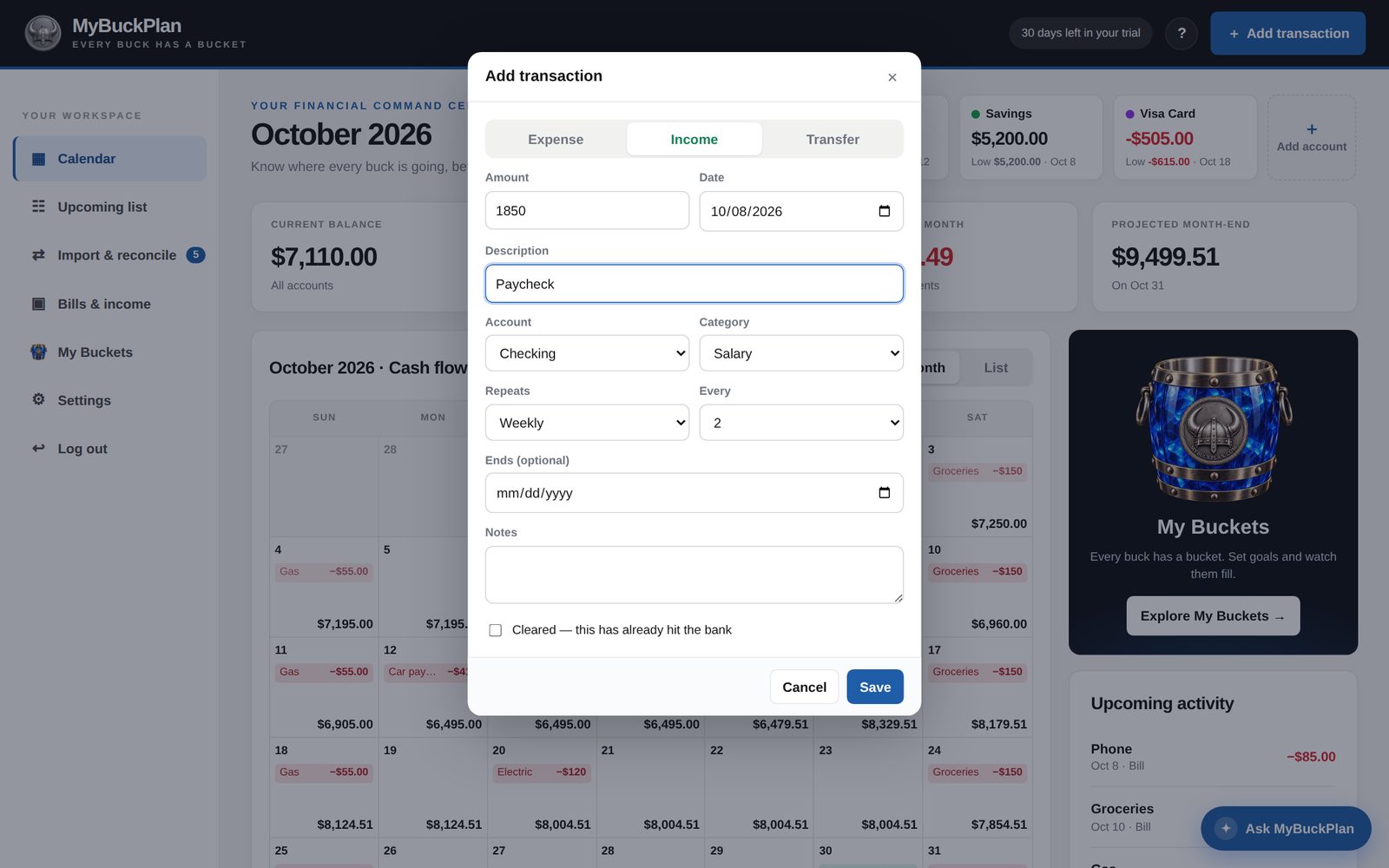
Add your bills and paychecks once.
Enter each paycheck and bill with its amount, account, category, and how often it repeats. The calendar fills in for months and years ahead.
- Every two weeks, twice a month, monthly, yearly, and more
- Optional end date for loans and payment plans
- Transfers between accounts, like a card payment
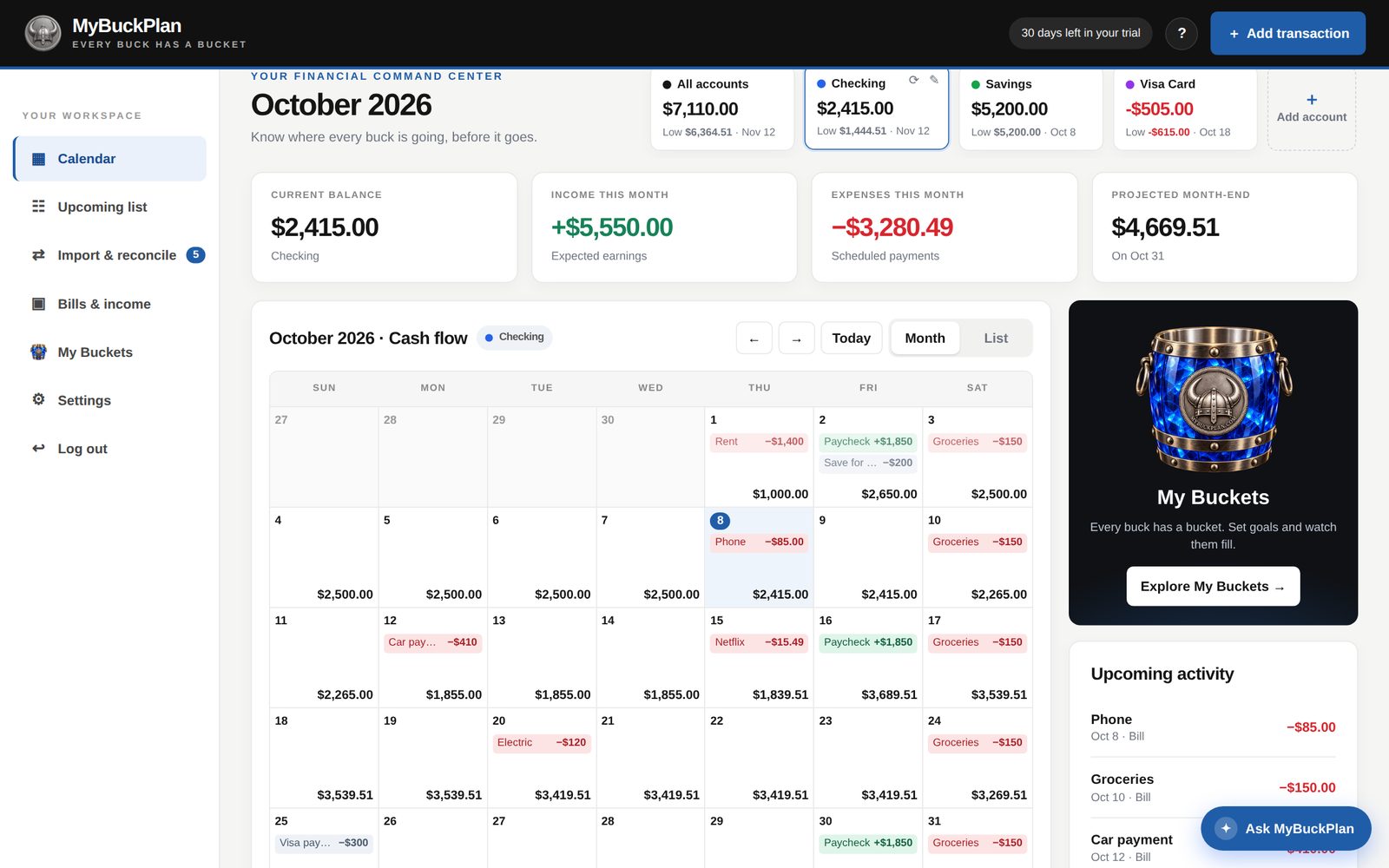
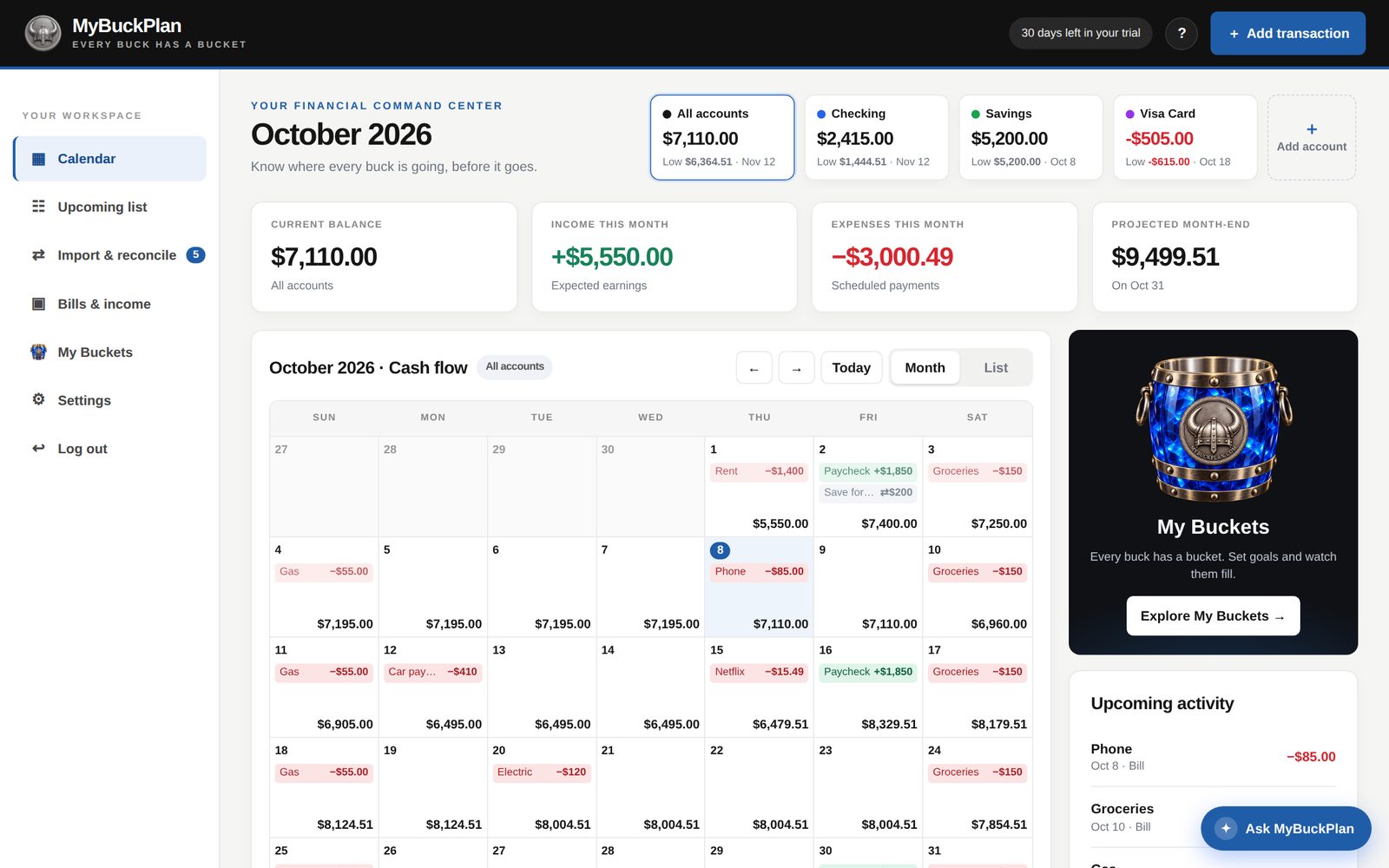
Read your calendar.
Each day shows the projected balance at the end of the day. Look ahead to the next payday, see what is left after the bills, and spot a shortfall weeks before it happens.
- Click any day for its items and each account’s balance
- Switch to the Upcoming list for the next 120 days
- Filter to one account or see all of them together
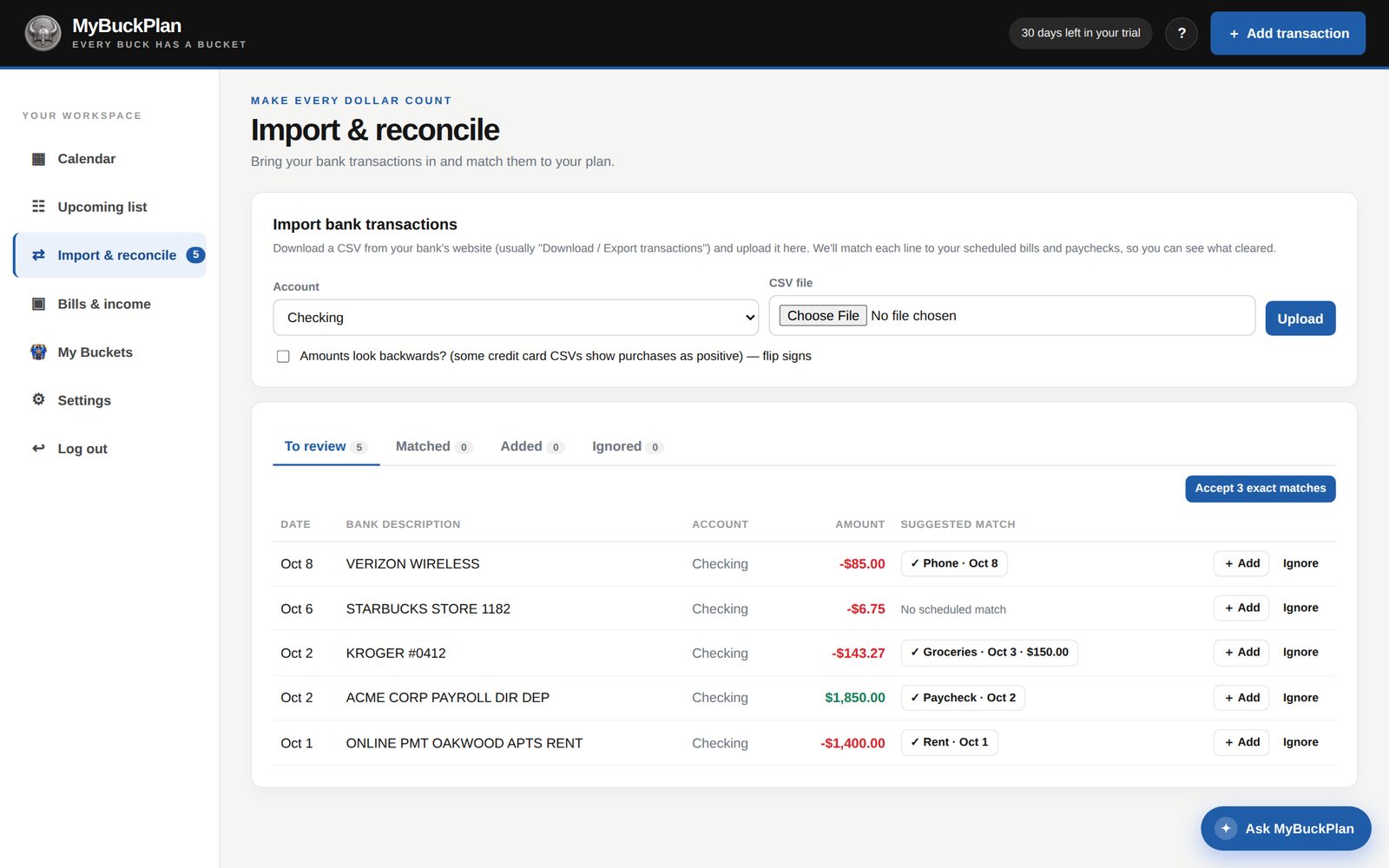
Keep it matched to your bank.
When the bank shows a different number, use Update balance and every future day is corrected. Or upload your bank’s CSV and confirm the matches.
- Tick items as cleared when they hit the bank
- Accept all exact CSV matches in one click
- Add unplanned purchases straight from the bank lines
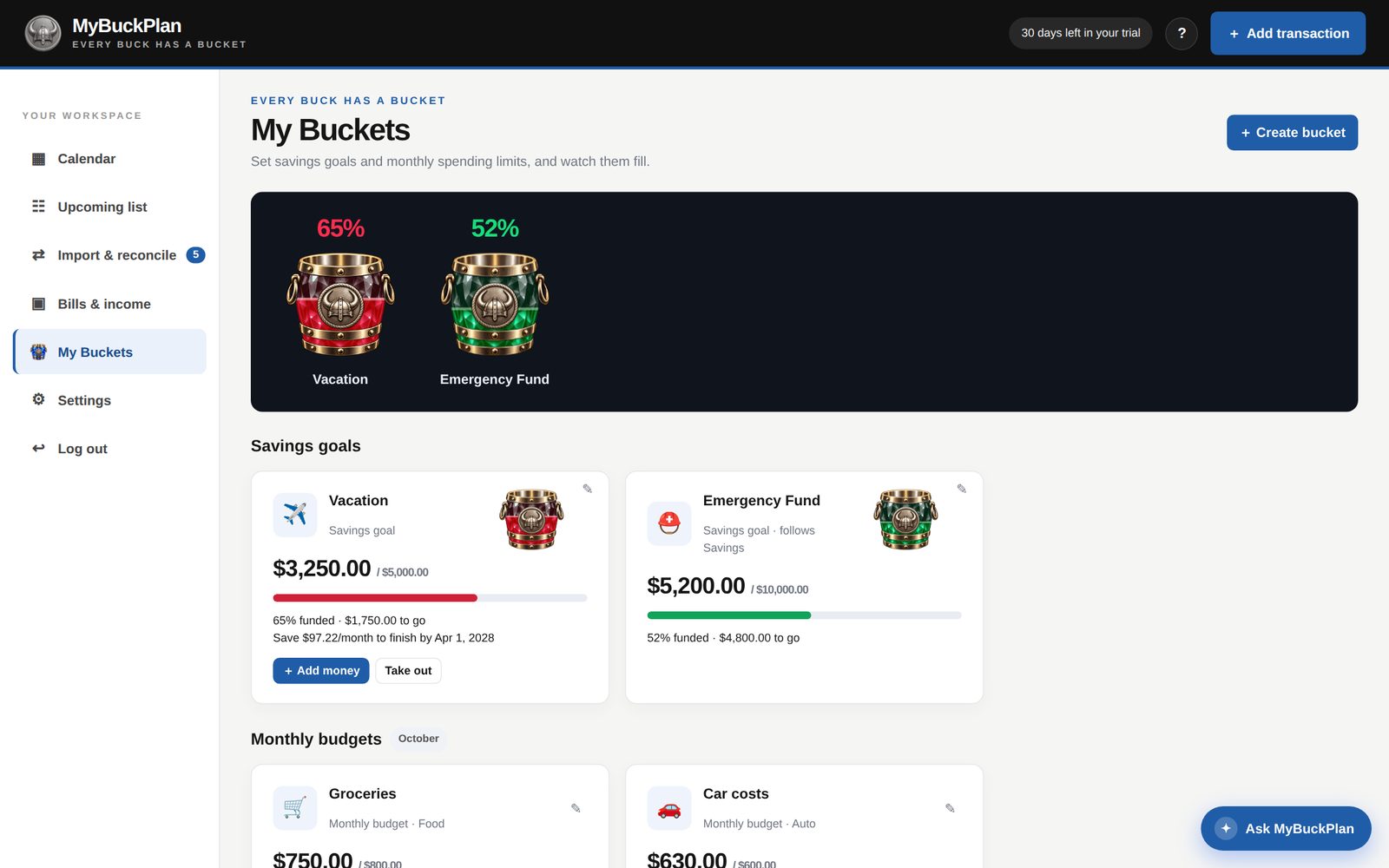
Give every buck a bucket.
Create savings goals and monthly budgets in My Buckets. Pick a color, add money as you save, and watch each bucket fill toward its goal.
- Percent filled shown on every bucket
- Budgets include bills that are still scheduled
- Clear “save $X per month” targets when you set a date
How the daily balance is calculated.
Start with today’s balance. For each following day, add the income and subtract the bills scheduled that day. The result is that day’s projected end-of-day balance — and the starting point for the next day.
A projection is only as good as the amounts and dates you enter. When something changes, update the item or the balance and every day after it updates too.
| Date | Item | Amount | End of day |
|---|---|---|---|
| Today, Oct 8 | Starting balance | $2,415.00 | |
| Oct 9 | Phone bill | −$85.00 | $2,330.00 |
| Oct 10 | Paycheck | +$1,850.00 | $4,180.00 |
| Oct 12 | Groceries | −$150.00 | $4,030.00 |
| Nov 1 | Rent | −$1,400.00 | $2,630.00 |
What the colors mean.
You can read the calendar at a glance.
Green itemsIncome, such as paychecks and deposits.
Red itemsBills and other expenses.
Grey itemsTransfers between your own accounts.
Red dayThe projected balance falls below zero.
Amber dayThe balance falls below the warning level you chose.
Blue circleToday.

Brave heart. Clear plan.See your bank balance every day — before it happens.
Start with today’s balance. See the rest of the month.
Know what’s coming. See what’s left. Make your next move with a clearer view.
No credit card required. Cancel any time.